Ek baat clearly bol deta hoon shuru me hi — agar aap yahan "zyada ads laga do, zyada kamao" wali advice dhoondhne aaye hain, toh yeh galat article hai. 2026 me Google ka system pehle se kahin zyada smart ho chuka hai, aur jo strategy kabhi 2018-19 me kaam karti thi — page ko ads se bhar dena — ab seedha account restriction tak le jaati hai. Ek publisher ka example dekha maine — 50,000 monthly visits, ads badhaye, CTR bhi thoda badha, lekin RPM gir gaya aur warning bhi aa gaya. Wahi site jab usne ads kam karke, sahi jagah rakhe, toh bina kisi warning ke pehle se dugna kamane lagi.
Yehi is article ka core idea hai — CTR badhana hai toh placement science samajhni padegi, quantity nahi.
Sabse Pehle — Users Actually Page Kaise Padhte Hain
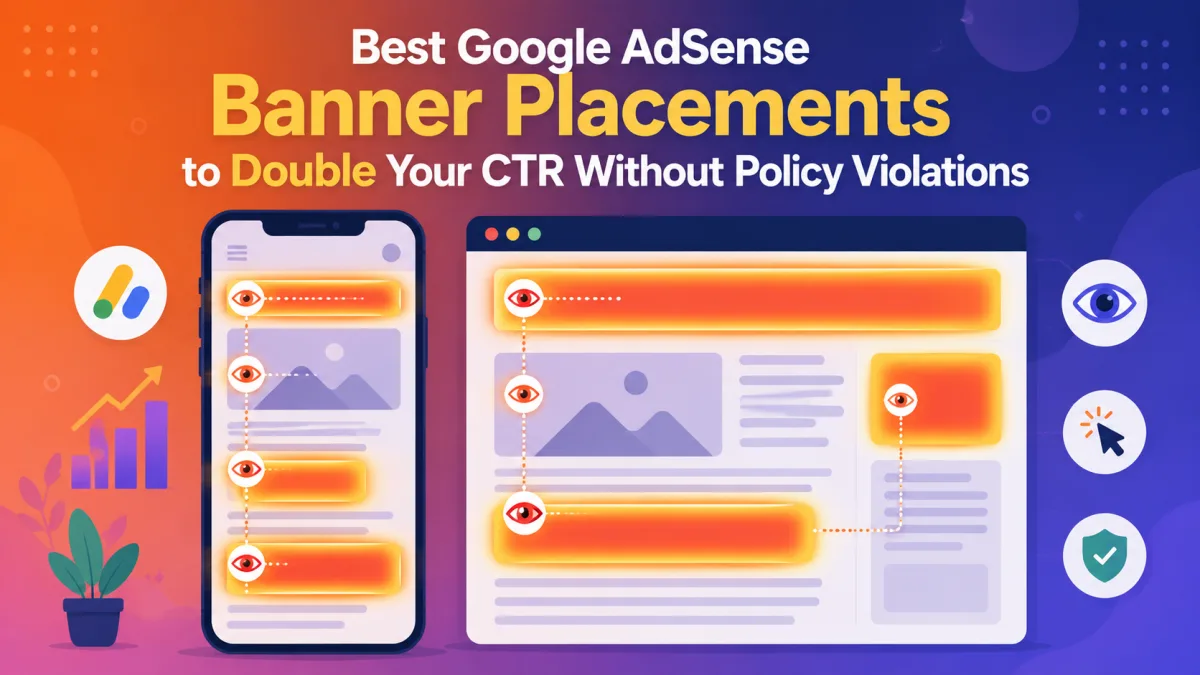
Eye-tracking studies (Nielsen Norman Group aur Google ki apni research dono) ne ek consistent pattern dikhaya hai jise F-shaped reading pattern kehte hain. User pehle top ko horizontally scan karta hai, phir left side ko vertically neeche jaata hai, phir beech-beech me horizontally wapas scan karta hai. Matlab — jo bhi is "F" path pe aata hai, usse zyada attention milti hai.
Isi wajah se above-the-fold placements (top 600px) itni effective hoti hain — yeh area lagbhag 80% initial user attention capture kar leta hai. Lekin isका matlab yeh nahi ki poora above-the-fold area ads se bhar dein — matlab hai ki wahan ek achha positioned unit genuinely high visibility paata hai.
Placement #1: In-Content Ads (2nd Ya 3rd Paragraph Ke Baad)
Yeh probably sabse consistently high-performing placement hai jo maine dekhi hai. Jab user article padhna shuru kar chuka hota hai aur genuinely engaged hota hai, tabhi agar ek ad naturally content ke flow me aata hai, toh usko notice karne ka chance sabse zyada hota hai. Studies batati hain ki 2nd ya 3rd paragraph ke baad rakhe gaye in-content ads, sidebar ads ke muqable kaafi zyada CTR generate karte hain — kai cases me 3 guna tak.
Practical tip — ad ko itna natural feel karayein ki wo content ka hi ek part lage, bina content ko disrupt kiye. Ek achha rule hai: pehle paragraph ko ad-free rakhein taaki reader ko lagne se pehle hi "yeh site ads se bhari hai" wala feel na aaye, uske baad hi pehla in-content ad daalein.
Placement #2: Above-The-Fold Leaderboard (Lekin Content Ko Push Down Kiye Bina)
Header ke turant baad ek leaderboard-style banner (728x90 desktop ke liye, ya responsive unit) rakhna proven strategy hai. Lekin yahan ek common mistake hoti hai — bahut bade header banners content ko itna neeche push kar dete hain ki reader ko lagta hai page "ads-first" hai. Isse na sirf user experience kharab hoti hai, balki yeh indirectly Core Web Vitals (especially LCP) ko bhi hurt karta hai, jiske baare me humne pichhle article me detail se baat ki thi.
Solution simple hai — banner ka size compact rakhein, aur ensure karein ki content ka pehla meaningful hissa bina zyada scroll kiye visible ho.
Placement #3: After-Content (Article Khatam Hone Ke Baad)
Yeh placement underrated hai. Jab user poora article padh chuka hota hai aur ab decide kar raha hota hai ki aage kya kare, wahi moment ek ad ke liye perfect hota hai — reader active hai, engaged hai, aur next-step decision mode me hai. Yeh placement generally policy-safe bhi hoti hai kyunki yahan accidental clicks ka risk kam hota hai (koi navigation button ya "next page" link ke bilkul paas nahi hota, agar aap dhyan rakhein).
Yeh Jagah Avoid Kariye — Banner Blindness Zones
Kuch placements aisi hain jinhe log traditionally use karte aaye hain, lekin data clearly batata hai ki yahan users ka dhyan naturally chala jaata hai, ads pe nahi:
- Right sidebar ka bottom hissa — yahan tak scroll karne wale users bahut kam hote hain, aur jo pahunchte bhi hain, unka attention already "ads yahan hoti hain" wali mental filter lagाa chuka hota hai.
- Header ke bilkul upar — yeh area itna clearly "ad zone" ban chuka hai users ke dimaag me ki wo ise consciously ignore karte hain, chahe content kitna bhi achha kyun na ho.
- Footer — same wajah, low attention aur low CTR dono.
Yeh sab jagah technically policy-violation nahi hain, bas practically inefficient hain — CTR itna kam hoga ki wo space kisi aur cheez (jaise internal link ya related content) ke liye better use ho sakta hai.
Mobile Ke Liye Alag Strategy Chahiye
Agar aapka zyada traffic mobile se aata hai — jo aajkal zyadatar blogs ke liye sach hai — toh desktop wali strategy directly copy-paste mat kariye. Mobile ke liye teen cheezein particularly kaam karti hain:
- Anchor ads — screen ke bottom pe ek chhota, sticky banner jo scroll karte waqt bhi visible rehta hai, lekin content ko cover nahi karta.
- In-article ads — same principle jo desktop pe kaam karti hai, lekin mobile pe spacing aur bhi zyada carefully rakhni padti hai kyunki screen chhoti hai.
- Vignette ads — sparingly use karein, kyunki yeh thoda intrusive ho sakte hain agar frequency zyada ho.
Ek cheez jo definitely avoid karni chahiye mobile pe — koi bhi ad jo kisi button ya link ke bahut paas ho. Chhoti screen pe finger se tap karna already less precise hota hai, aur agar ad wahan hai jaha user "Download" ya "Next" button expect kar raha ho, toh accidental click ka risk bahut badh jaata hai — jo humne Article 3 me discuss kiya tha, seedha ad serving limit tak le ja sakta hai.
Policy-Safe Rehne Ke Liye Yeh Rules Zaroor Follow Karein
Google apni khud ki guideline degi hai ki ads page ke 30% se zyada area occupy nahi karne chahiye. Iske alawa:
- Ads ko kabhi bhi navigation elements, download buttons, ya CTA buttons ke bahut paas mat rakhein.
- Ads ko content ke saath itna "blend" mat kariye ki wo internal link jaisa lagne lage — yeh directly ek policy violation hai, chahe intention accidental hi kyun na ho.
- Agar aap koi plugin use kar rahe hain jo scroll pe ads ko refresh karta hai, usse turant disable karein — yeh bhi violation count hota hai, chahe developer ne isse "feature" bola ho.
- Auto Ads use kar rahe hain toh default settings pe blindly bharosa mat kariye — customize karke unnecessary formats disable karein, warna page overloaded ho sakta hai.
Sabse important baat — Google intention nahi, sirf outcome judge karta hai. Matlab agar aapne galti se bhi koi aisi placement kar di jisse accidental clicks badh rahe hain, toh "maine jaan-boojhkar nahi kiya" wali defense kaam nahi aayegi. Isliye har naye placement ko launch karne ke baad khud mobile aur desktop dono pe test karein.
Testing Ka Sahi Tarika
Random changes karte rehna kaam nahi karta. Ek proper approach follow karein:
- Ek specific hypothesis define karein — jaise "pehla in-article ad H2 ke baad move karne se viewability 10% badhegi, bina scroll depth affect kiye."
- Ek time me sirf ek variable change karein — agar aap position aur size dono ek saath badal denge, toh pata nahi chalega kaunsa factor result laaya.
- Statistical confidence tak wait karein — ek din ke data pe react mat kariye, kam se kam 1-2 hafte ka data dekhein.
- Invalid clicks aur policy messages ko poore test ke dauraan monitor karte rahein.
Quick Reference — Placement Performance Summary
| Placement | CTR Potential | Policy Risk | Best For |
|---|---|---|---|
| In-content (2nd-3rd paragraph) | High | Low (if spaced properly) | Desktop + Mobile |
| Above-the-fold leaderboard | High | Medium (if too large) | Desktop |
| After-content | Medium-High | Low | Desktop + Mobile |
| Anchor (sticky bottom) | Medium | Low | Mobile |
| Sidebar bottom | Low | Low | Avoid |
| Header top / Footer | Low | Low | Avoid |
Final Baat
Zyada ads ka matlab zyada revenue nahi hota — sahi jagah pe rakhे gaye kam ads, galat jagah pe rakhे gaye zyada ads se hamesha better perform karte hain. Agar aap already Core Web Vitals optimize kar chuke hain (jaisा humne pichhle article me discuss kiya), toh yeh placements aur bhi better perform karengi, kyunki stable, fast-loading pages pe advertisers naturally zyada confident hote hain.
Aur agar aap apni monetization ko diversify bhi karna chahte hain sirf AdSense se aage, toh humara ad networks wala guide zaroor dekhein: [Top 5 High eCPM Ad Networks for Bloggers & App Developers].